Onboarding with SharePoint, Power Automate and Teams
How a company stopped losing steps when it onboarded new partners
Eight phases for every customer. A named owner for each. No phase closes until its checks pass.
The email threads
- Each new customer lived in an email thread and Word documents.
- Nobody was sure which step a customer was on.
- Steps got missed. Approvals sat in inboxes.
What I built
- Eight phases for every customer. Kickoff, Rate Card, Discovery, Integration, System Setup, API Testing, Implementation and Go-Live.
- A named owner for each phase. Everyone knows who is on the hook.
- Approvals in one tap, inside Teams. When a step needs sign-off, Power Automate sends the approver a Teams alert from SharePoint with a link to the documents. They review, click Approve or Reject, and Power Automate writes the answer back to SharePoint.
- No new tool for people who own one step. Staff who sign off on part of onboarding, not all of it, stay in Microsoft Teams, which they already use. They never open the tracker.
- Checks before a phase closes. A phase cannot close until its six system checks pass.

Every customer, its phase, status, days in phase and owner in one view. Modified from real customer data.
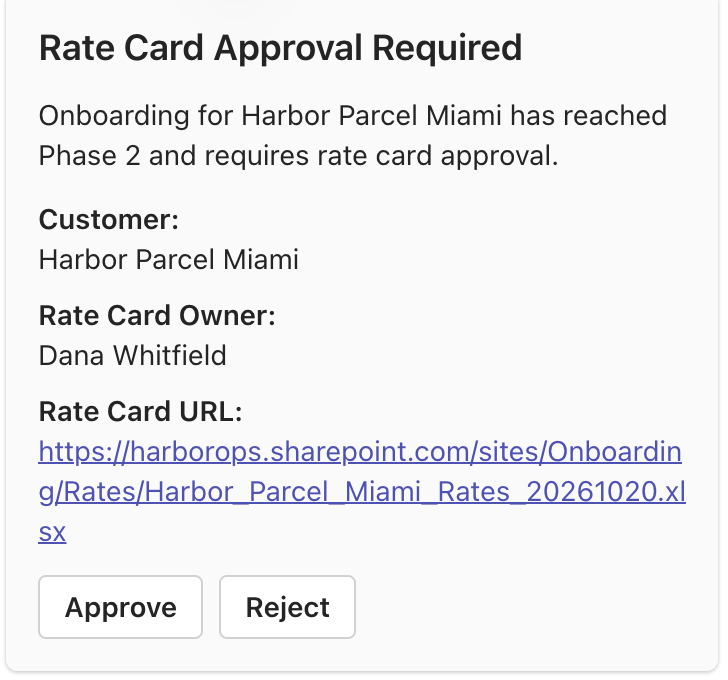
The approver gets this in Teams and answers with one tap. Modified from real customer data.
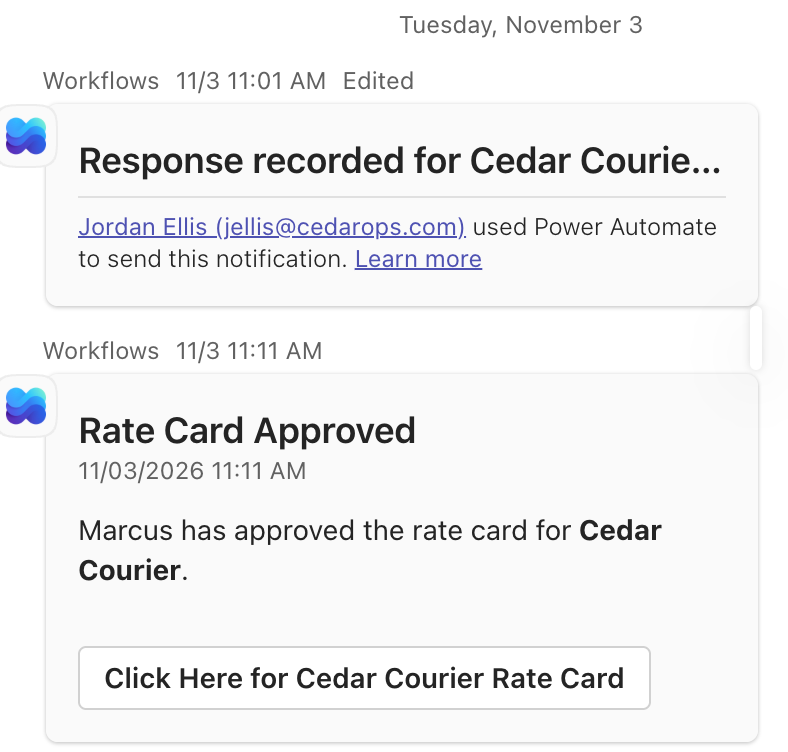
Once the approver answers, the team gets a confirmation. Modified from real customer data.
What changed
- Everyone sees where every customer is. One view replaces the email threads.
- No phase closes early. Its checks must pass first.
- Approvals take one tap. They no longer wait in an inbox.
Before and after
BeforeAfter
You always know which step a customer is on.
Does onboarding still live in email? Tell me how it works today.
More work: late parcel reports · restaurant menus