How to add a new line in Power Automate text and emails
In a Compose action, press Enter inside the Inputs box to add a line break. In an expression, use decodeUriComponent('%0A'). In an email body, which is HTML, use <br>, because a line break inside text shows as a space.
How do you add a line break in a Compose action?
This works in the plain text box of Compose and in most text inputs. It does not change how an email shows the text. That depends on the email format.
- Add a Compose action and click inside the Inputs box.
- Type the first line of text.
- Press Enter, then type the second line.
- Save and run the flow.
- Check the run: the Compose result now sits on two lines.
How do you add a new line inside an expression?
An expression cannot hold a raw Enter key. Build the break from its code instead. The function decodeUriComponent() turns the code %0A into a line feed character.
concat('Order received', decodeUriComponent('%0A'), 'Total: 40 USD')


Result:

Order received

Total: 40 USD
Why does my email ignore the line break?
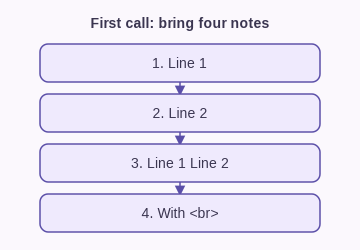
The Send an email (V2) action takes its Body as HTML, per Microsoft's Office 365 Outlook connector reference. HTML shows a line feed inside text as a space, so breaks that come from a Compose output, a variable or a multi-line column disappear. Use the tag <br> where you want a new line, or wrap each paragraph in <p> and </p>.
To fix text that already holds line feeds, swap them for tags in an expression: replace(outputs('Compose'), decodeUriComponent('%0A'), '<br>'). See the shared mailbox email guide for the rest of the action.
Which code gives which break?
| Where you use it | Code | Result |
|---|---|---|
| Expression, text or file | decodeUriComponent('%0A') | Line feed (new line) |
| Expression for Windows text files | decodeUriComponent('%0D%0A') | Carriage return and line feed |
| Email body or HTML table | <br> | HTML line break |
| Email body paragraph | <p>text</p> | Paragraph with spacing |
How do you put each array item on its own line?
Use the join() function with the line break as the separator. The expression join(variables('names'), decodeUriComponent('%0A')) returns one item per line.
Tip: Store the break in a variable named NL once, then reuse it in every expression.
For an email, use '<br>' as the separator instead. See the Join action for the no-code version and join text together for concat().
Which mistakes break the result?
How do you remove a line break?
Use replace() to swap the break for a space. The expression replace(outputs('Compose'), decodeUriComponent('%0A'), ' ') removes every line feed. See the replace function for more cases.
FAQ
Does Power Automate support \n in expressions?
No. The two characters \ and n stay as text. Use decodeUriComponent('%0A') for a line feed.
How do I add a new line in a Teams message?
Microsoft's Teams connector reference does not state the message format, so test one post in a private chat first. If the break does not show, try <br>.
What is the difference between %0A and %0D%0A?
%0A is a line feed. %0D%0A is a carriage return plus a line feed, which some Windows files expect.
Can I use the char function for a new line?
No. Microsoft's functions reference lists no char() function. Use decodeUriComponent('%0A').
Sources
- Reference guide to workflow expression functions (Microsoft Learn)
- Office 365 Outlook connector reference (Microsoft Learn)
- Expression cookbook for cloud flows (Microsoft Learn)
- Microsoft Teams connector reference (Microsoft Learn)